- Look up parent record and check comms rules (to ensure information can be sent)
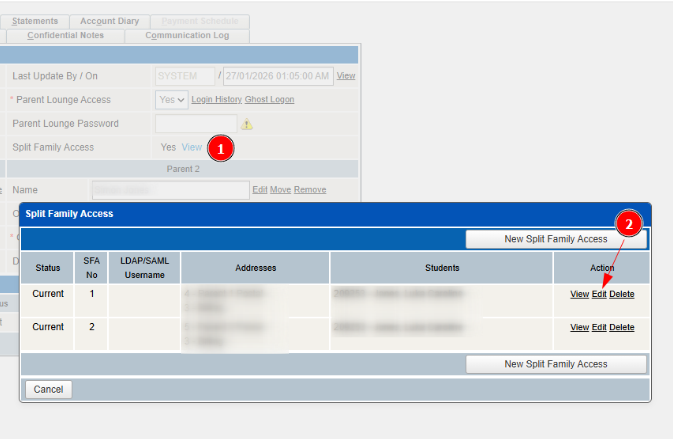
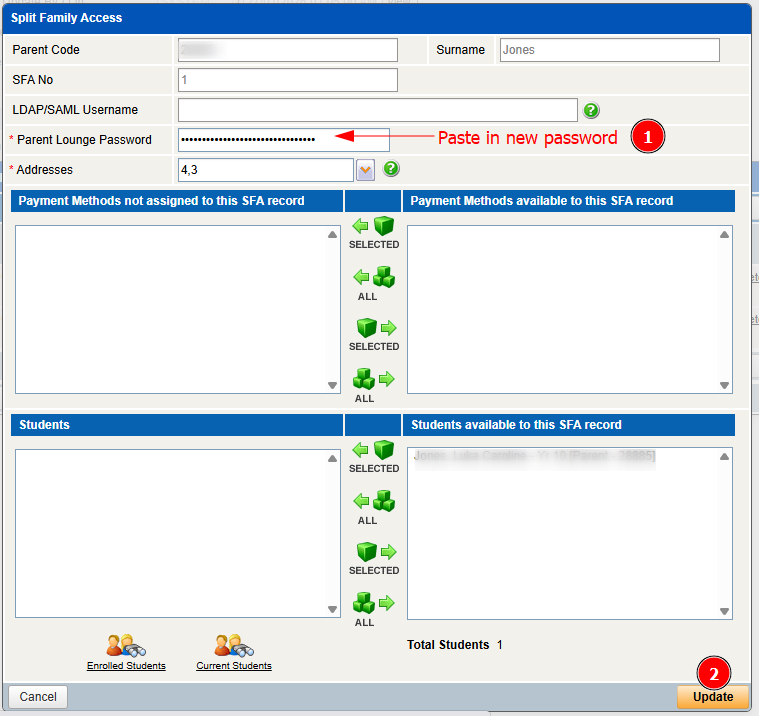
- Think up a random password such as: Gheme$552
- Please send the following Template email relevant to your school (it is good practice to login as the parent before sending to test the details):
Dear Simon,
At The Industry School, we use TASS Parent Lounge to keep parents informed and connected throughout their young person's journey. Parent Lounge allows you to stay up to date with your child's academic progress, address details, attendance records, and more!
To access Parent Lounge, please log in using the username and password provided below.
https://sunshinecoast.theindustryschool.com.au/parentlounge
https://sunshinecoast.theindustryschool.com.au/parentlounge
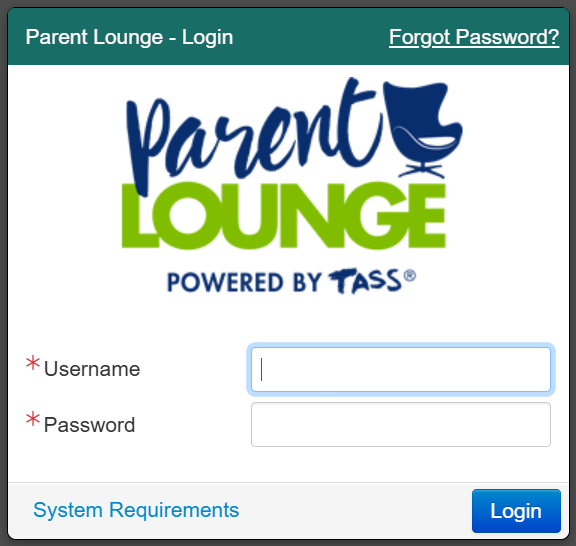
Username: 12345
Password: ########
Password: ########
If you need technical support for Parent Lounge, please contact reception at The Industry School location your young person attends.
Was this article helpful?
That’s Great!
Thank you for your feedback
Sorry! We couldn't be helpful
Thank you for your feedback
Feedback sent
We appreciate your effort and will try to fix the article