The following steps will guide you through accessing the Parent Lounge portal for the relevant campus and resetting your password. (If you are unsure of your current password, please follow the steps below for password reset.)
- Click here to access the parent lounge portal for the relevant campus where the Young Person is enrolled. (e.g., Select Gold Coast if the Young person is enrolled at Gold Coast School) and sign in with your username and password.
Resetting Password steps:
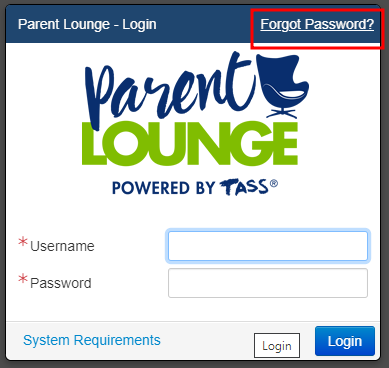
- Select the forgot password as shown in the screenshot below.
- Enter your 5-digit parent code* in the Username field, fill out the email and security code fields. (If you can't find your parent code, please contact your school here: Contact Us - The Industry School )
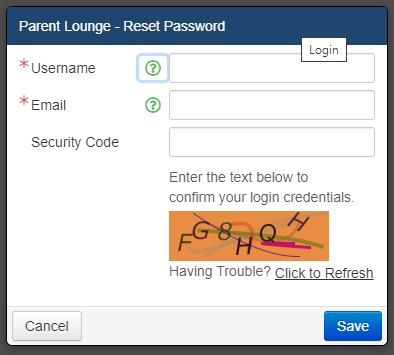
- You will receive an email to reset your password.
If there are any issues with accessing the Parent Lounge, please reach out to us at Contact Us - The Industry School
Was this article helpful?
That’s Great!
Thank you for your feedback
Sorry! We couldn't be helpful
Thank you for your feedback
Feedback sent
We appreciate your effort and will try to fix the article